Can you create a fitness app? Yes, you absolutely can, and this guide will walk you through the entire process, from initial idea to successful launch. Building a fitness app development project might seem complex, but by breaking it down into manageable steps, you can bring your mobile fitness platform to life. Whether you’re looking to build a simple workout app builder, a comprehensive personal training app development solution, or a robust fitness tracking app creation tool, the core principles remain the same. This article will cover everything you need to know about building a wellness app, including key health and fitness app features, fitness app monetization strategies, the importance of UI/UX design for fitness apps, and the fitness app technology stack.
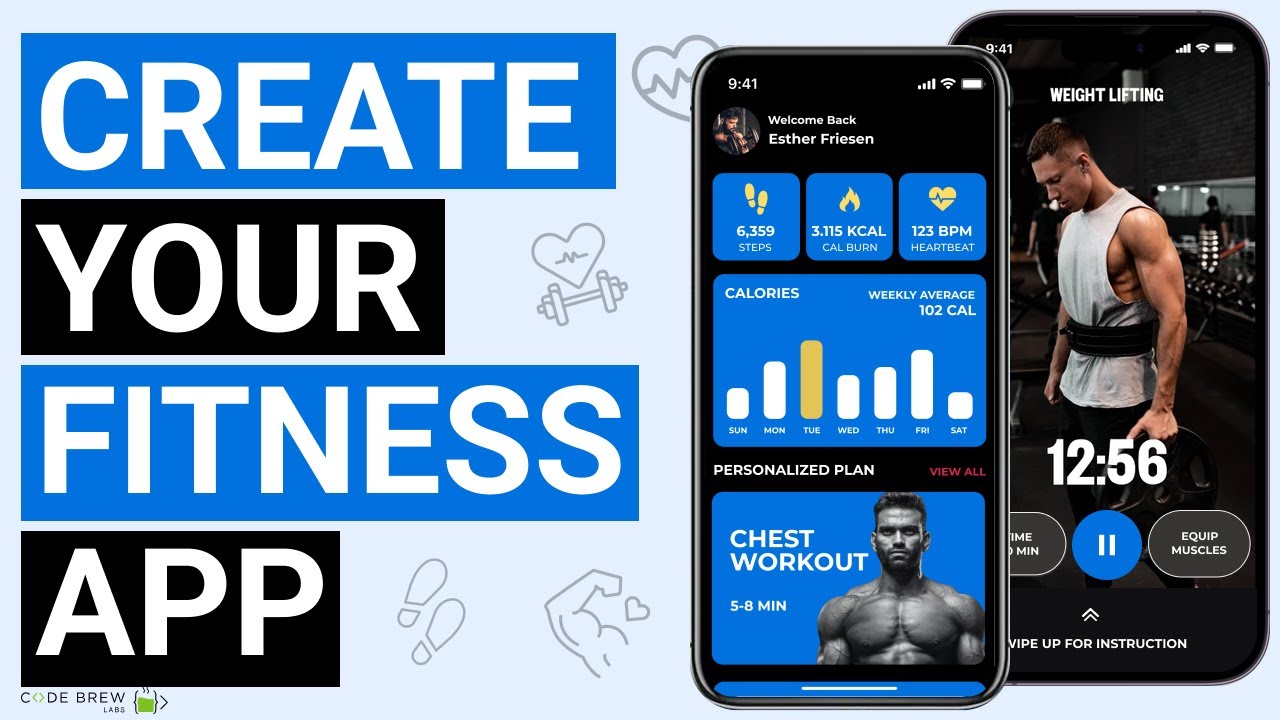
Image Source: i.ytimg.com
Phase 1: Idea Generation and Market Research
Every successful app starts with a strong idea and a clear vision. This initial phase is crucial for setting the foundation of your fitness app development journey.
Defining Your Niche and Target Audience
- What problem are you solving? Identify a specific need within the fitness industry. Are you focusing on beginner workouts, advanced training, rehabilitation, mindfulness, or a combination?
- Who are you serving? Pinpoint your ideal user. Are they young professionals, busy parents, athletes, or seniors? Knowing your audience will shape your features and marketing.
- Analyze the competition. Research existing fitness apps. What do they do well? Where are their weaknesses? How can your app stand out? Tools like Sensor Tower or App Annie can provide valuable insights.
Brainstorming Core Features
Your app’s features will determine its functionality and appeal. Think about what will make your mobile fitness platform unique and valuable.
Must-Have Features for a Fitness App
- User Profile Creation: Allows users to input personal details like age, gender, weight, height, fitness goals, and experience levels.
- Workout Library: A comprehensive collection of exercises with clear instructions, images, and/or videos.
- Workout Tracking: Enables users to log their workouts, including sets, reps, weights, duration, and intensity.
- Progress Monitoring: Visual representations of user progress, such as charts and graphs for weight lifted, distance run, or calories burned.
- Goal Setting: Tools for users to set and track their fitness objectives.
Differentiating Features to Consider
- Personalized Workout Plans: AI-driven or expert-created plans tailored to individual goals and progress.
- Live Classes or On-Demand Video Content: Engaging workout sessions led by certified trainers.
- Nutrition Tracking and Meal Planning: Integration with dietary logging and healthy recipe suggestions.
- Community Features: Social elements like forums, challenges, leaderboards, and friend-following to foster motivation.
- Wearable Device Integration: Seamless syncing with smartwatches and fitness trackers (e.g., Apple Watch, Fitbit).
- Gamification: Incorporating badges, points, and rewards to make fitness more engaging.
- Mindfulness and Meditation Content: Supporting mental well-being alongside physical fitness.
- Integration with Other Health Apps: Connecting with Apple Health, Google Fit, or other relevant platforms.
Monetization Strategies
How will your fitness app development project generate revenue? There are several effective models to consider.
Common Fitness App Monetization Models
| Model | Description | Pros | Cons |
|---|---|---|---|
| Freemium | Basic features are free; premium features require a subscription or one-time purchase. | Attracts a large user base; offers value to all users. | Converting free users to paid can be challenging. |
| Subscription | Users pay a recurring fee (monthly, annually) for full access. | Predictable revenue stream; fosters user loyalty. | High barrier to entry for some users. |
| In-App Purchases | Users buy individual items like specific workout plans, virtual coaching, or exclusive content. | Offers flexibility for users; targets specific desires. | Can lead to a fragmented user experience. |
| Advertising | Displaying ads within the app. | Can generate revenue from non-paying users. | Can be intrusive and detract from user experience if not managed well. |
| Affiliate Marketing | Partnering with fitness brands or influencers and earning a commission on sales. | Leverages external partnerships for revenue. | Requires strong partnerships and careful selection of affiliates. |
Phase 2: Design and Planning
A well-designed app is key to user engagement and retention. This phase focuses on how your app will look and feel.
UI/UX Design for Fitness Apps
UI/UX design for fitness apps is paramount. Users need an intuitive, motivating, and visually appealing experience.
Key UI/UX Considerations
- Simplicity and Intuition: Navigation should be effortless. Users should be able to find what they need quickly, whether it’s starting a workout or tracking their progress.
- Motivation and Engagement: Use visually appealing elements, encouraging messages, and progress indicators to keep users motivated.
- Clear Visual Hierarchy: Important information and actions should be prominent.
- Accessibility: Ensure the app is usable by people with disabilities, adhering to WCAG guidelines.
- Personalization: Allow users to customize their dashboard, preferences, and notifications.
- Visual Feedback: Provide clear visual cues for user actions, such as completing an exercise or logging a meal.
- Onboarding Experience: A smooth and informative onboarding process is crucial for new users.
Wireframing and Prototyping
Before diving into full development, create wireframes and prototypes.
- Wireframes: Basic outlines of app screens, focusing on layout and functionality.
- Prototypes: Interactive mockups that simulate the user flow, allowing for early testing of the user experience. Tools like Figma, Adobe XD, or Sketch are excellent for this.
Phase 3: Technology Stack and Development
Choosing the right technology is crucial for the performance, scalability, and maintainability of your fitness app development.
Fitness App Technology Stack
The fitness app technology stack will depend on whether you’re building native apps for iOS and Android, or a cross-platform app.
Native vs. Cross-Platform Development
| Aspect | Native Development (Swift/Kotlin) | Cross-Platform Development (React Native, Flutter) |
|---|---|---|
| Performance | Generally higher, with direct access to device features. | Can be near-native, but may have slight performance trade-offs. |
| User Experience | Optimal, as it adheres to platform-specific design guidelines. | Can mimic native look and feel, but requires careful implementation. |
| Development Cost | Higher, as separate codebases are needed for iOS and Android. | Lower, as a single codebase can target multiple platforms. |
| Development Time | Longer, due to parallel development efforts. | Shorter, as development is concentrated on one codebase. |
| Access to Device Features | Full and immediate access. | Generally good, but new features might have a delay in support. |
| Code Maintenance | Requires maintaining two separate codebases. | Simpler, as one codebase needs updates. |
Backend and Database Considerations
- Backend: This handles server-side logic, user authentication, data storage, and API integrations. Popular choices include Node.js, Python (Django/Flask), Ruby on Rails, or Go.
- Database: You’ll need a database to store user data, workout logs, progress metrics, etc. Options include PostgreSQL, MySQL (relational databases), or MongoDB, Cassandra (NoSQL databases). Cloud-based solutions like AWS RDS, Google Cloud SQL, or Firebase are also common.
- APIs: For integrating features like GPS tracking, payment gateways, or social media sharing, you’ll need to consider APIs.
Agile Development Methodology
The fitness app development process is often best managed using agile methodologies, such as Scrum. This allows for iterative development, flexibility, and continuous feedback.
- Sprints: Short development cycles (typically 1-4 weeks).
- Daily Stand-ups: Quick team meetings to discuss progress and roadblocks.
- Sprint Reviews: Demonstrating completed work at the end of each sprint.
- Sprint Retrospectives: Reflecting on the sprint to identify areas for improvement.
Phase 4: Development and Testing
This is where your app idea starts to take shape. It’s a rigorous process involving coding, integration, and thorough quality assurance.
Frontend Development
This involves building the user interface that users interact with.
- Platform-Specific Languages: Swift for iOS, Kotlin for Android.
- Cross-Platform Frameworks: React Native or Flutter for building apps for both platforms simultaneously.
Backend Development
This focuses on the server-side logic, database management, and API development.
- Server-side Logic: Implementing user authentication, data processing, and business logic.
- API Development: Creating APIs to allow the frontend to communicate with the backend.
Integrating Third-Party Services
- Payment Gateways: For in-app purchases and subscriptions (e.g., Stripe, PayPal, Braintree).
- Cloud Storage: For storing user-generated content like workout videos or progress photos (e.g., AWS S3, Google Cloud Storage).
- Analytics Tools: To track user behavior and app performance (e.g., Google Analytics, Firebase Analytics).
Rigorous Testing
Quality assurance is critical to ensure a bug-free and user-friendly experience.
Types of Testing
- Unit Testing: Testing individual components of the code.
- Integration Testing: Testing how different components work together.
- Functional Testing: Verifying that each feature works as intended.
- Usability Testing: Observing real users interacting with the app to identify usability issues.
- Performance Testing: Ensuring the app is fast, responsive, and stable under load.
- Security Testing: Identifying and fixing vulnerabilities.
- Compatibility Testing: Testing on various devices, operating system versions, and screen sizes.
Phase 5: Deployment and Launch
Once your app is developed and thoroughly tested, it’s time to get it into the hands of your users.
App Store Submission
- Apple App Store: Requires adherence to Apple’s strict guidelines. You’ll need an Apple Developer Account.
- Google Play Store: Has its own set of developer guidelines. You’ll need a Google Play Developer Account.
Pre-Launch Marketing
Build anticipation before your app goes live.
- Landing Page: Create a website with information about your app and an option to sign up for updates.
- Social Media Buzz: Engage with potential users on social media platforms.
- Influencer Outreach: Collaborate with fitness influencers to promote your app.
Post-Launch Marketing and User Acquisition
Launching is just the beginning. You need a strategy to attract and retain users.
- App Store Optimization (ASO): Optimize your app’s title, keywords, description, and screenshots to improve visibility in app stores.
- Content Marketing: Create blog posts, videos, and social media content related to fitness and your app.
- Paid Advertising: Utilize platforms like Google Ads, Facebook Ads, and Instagram Ads to reach a wider audience.
- Email Marketing: Build an email list and send newsletters with tips, updates, and promotions.
Phase 6: Post-Launch and Maintenance
The journey doesn’t end with the launch. Continuous improvement is key for the long-term success of your fitness app development.
User Feedback and Iteration
Actively collect and analyze user feedback through reviews, surveys, and in-app feedback forms. Use this information to plan updates and new features.
Regular Updates and Bug Fixes
Address any bugs that arise and release regular updates to introduce new features, improve performance, and keep the app fresh.
Scaling Your Platform
As your user base grows, ensure your mobile fitness platform can handle the increased load. This might involve optimizing your backend infrastructure and database.
Monitoring Performance
Continuously monitor key metrics like download numbers, active users, retention rates, and conversion rates. Use analytics to understand user behavior and identify areas for improvement.
Frequently Asked Questions (FAQ)
What is the average cost to create a fitness app?
The cost can vary significantly, from \$25,000 to \$150,000+, depending on the complexity of features, platform (native vs. cross-platform), design, and development team.
How long does it take to develop a fitness app?
A basic fitness app might take 3-6 months, while a more complex one with advanced features like AI personalization or live streaming could take 9-12 months or longer.
What are the most important health and fitness app features?
Key features include user profiles, workout libraries, tracking capabilities, progress monitoring, and goal setting. Differentiating features like personalization, community, and nutrition tracking can also be crucial.
Can I build a fitness app without coding?
Yes, using workout app builder platforms or no-code/low-code solutions can allow you to create a basic fitness app without extensive coding knowledge. However, for custom features and advanced functionality, professional development is usually required.
How do fitness apps make money?
Common fitness app monetization strategies include freemium models, subscriptions, in-app purchases, advertising, and affiliate marketing.
What is the importance of UI/UX design for fitness apps?
UI/UX design for fitness apps is critical for user engagement, motivation, and ease of use. A well-designed app makes it enjoyable and simple for users to achieve their fitness goals.
What technology stack is recommended for fitness app development?
The recommended fitness app technology stack depends on your project’s needs. Native development (Swift for iOS, Kotlin for Android) offers peak performance, while cross-platform frameworks like React Native or Flutter allow for faster development and cost savings. For the backend, consider Node.js, Python, or Ruby on Rails with databases like PostgreSQL or MongoDB.
How can I create a personal training app?
To create a personal training app development solution, focus on features like client management, scheduling, progress tracking for clients, and communication tools between trainers and clients.
What are the steps involved in fitness tracking app creation?
Fitness tracking app creation involves designing features for logging workouts, tracking metrics like steps, distance, calories, sleep, and often integrating with wearable devices and health platforms.
Is building a wellness app different from building a fitness app?
While related, building a wellness app might encompass a broader range of features beyond physical fitness, including mental health, mindfulness, nutrition, sleep tracking, and overall lifestyle management. The core development process, however, shares many similarities.